Energy Saver
Schedule wake, sleep, shutdown time
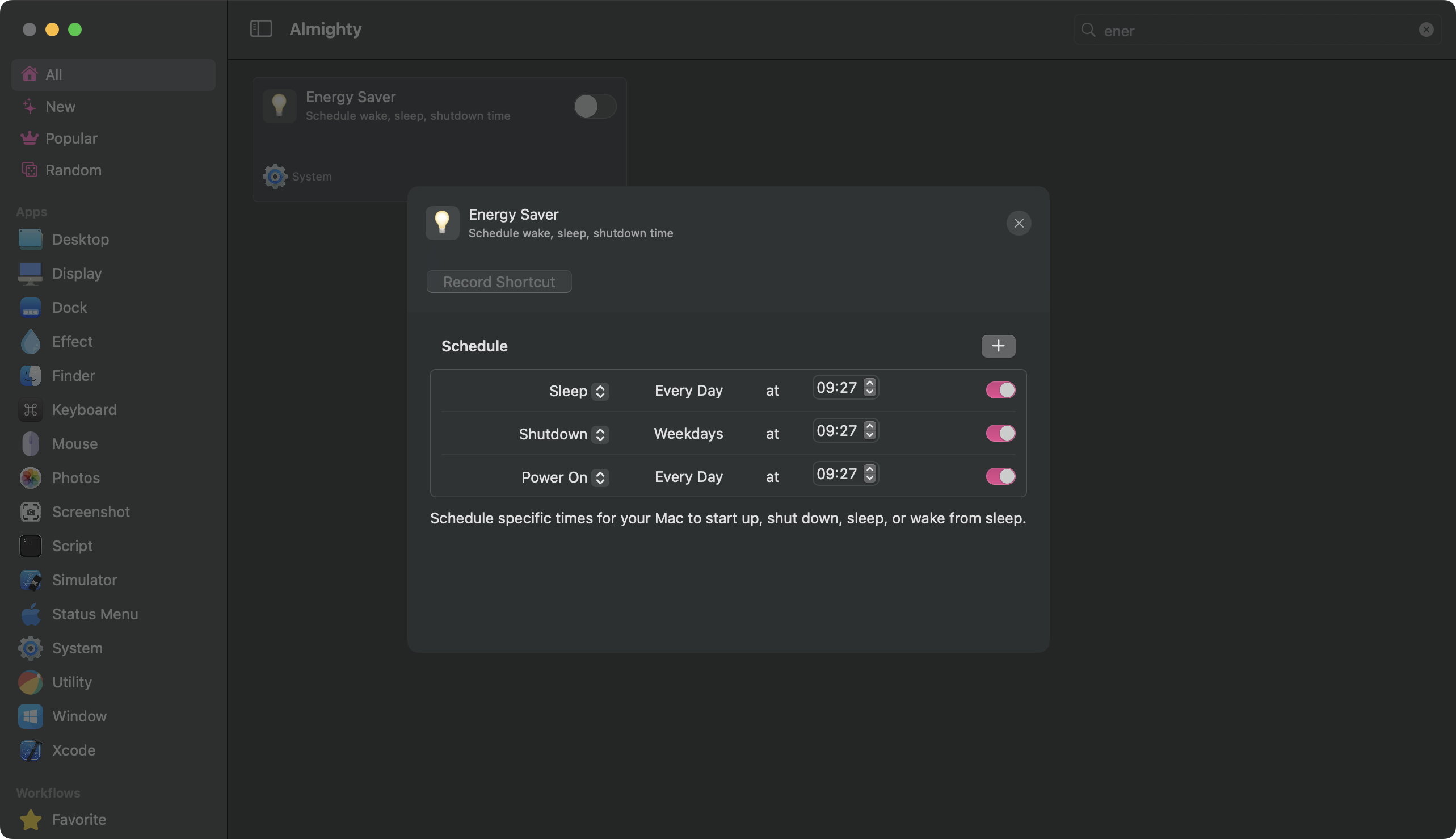
Configuration
Energy Saver lets you set a recurring daily schedule for your Mac. You can tell it to wake up every morning at a set time and shut down every night at another. The schedule repeats automatically each day without any extra steps.
To get started, click the configure icon next to the Energy Saver toggle in Almighty. Inside, you will see a list of schedule items. Tap the + button to add one. Each item has three settings: the action (such as Wake or Power On, Shutdown, Sleep, or Restart), the days of the week, and the time of day.
Pick the days by clicking the day button on the item. You can select individual days or use presets like Every Day or Weekdays. Set the time using the time picker, then enable the item with its toggle.
You can add as many items as you need. A common setup is one item to wake or power on the Mac in the morning and another to shut it down at night. Note that on Apple Silicon Macs, startup from a full shutdown may not work. If your Mac does not start up as scheduled, use Sleep and Wake instead of Shutdown and Wake Or Power On — waking from sleep works reliably on all Mac models.
When you relaunch Almighty, it will restore your Energy Saver schedule and re-apply it automatically.
Once your items are ready, toggle Energy Saver on. macOS will ask for your administrator password. After you enter it, the schedule takes effect immediately.
If you want to change the schedule later, toggle Energy Saver off first, make your changes, then toggle it back on to apply them.
Available
- Standalone
- Setapp